# Supply chain attacks: guard the loading dock
> You didn't write most of the code you ship, and neither did your agent. How supply chain attacks work, why AI coding makes them worse, and how to layer Socket.dev and pnpm so a poisoned package never reaches your app.
**Field Guide** · **Updated:** 2026-10-20 · **Tags:** supply-chain, npm, pnpm, socket, ci-cd, github-actions, ai, mcp
_Source: https://verybadpanda.dev/field-guide/supply-chain-socket_
---
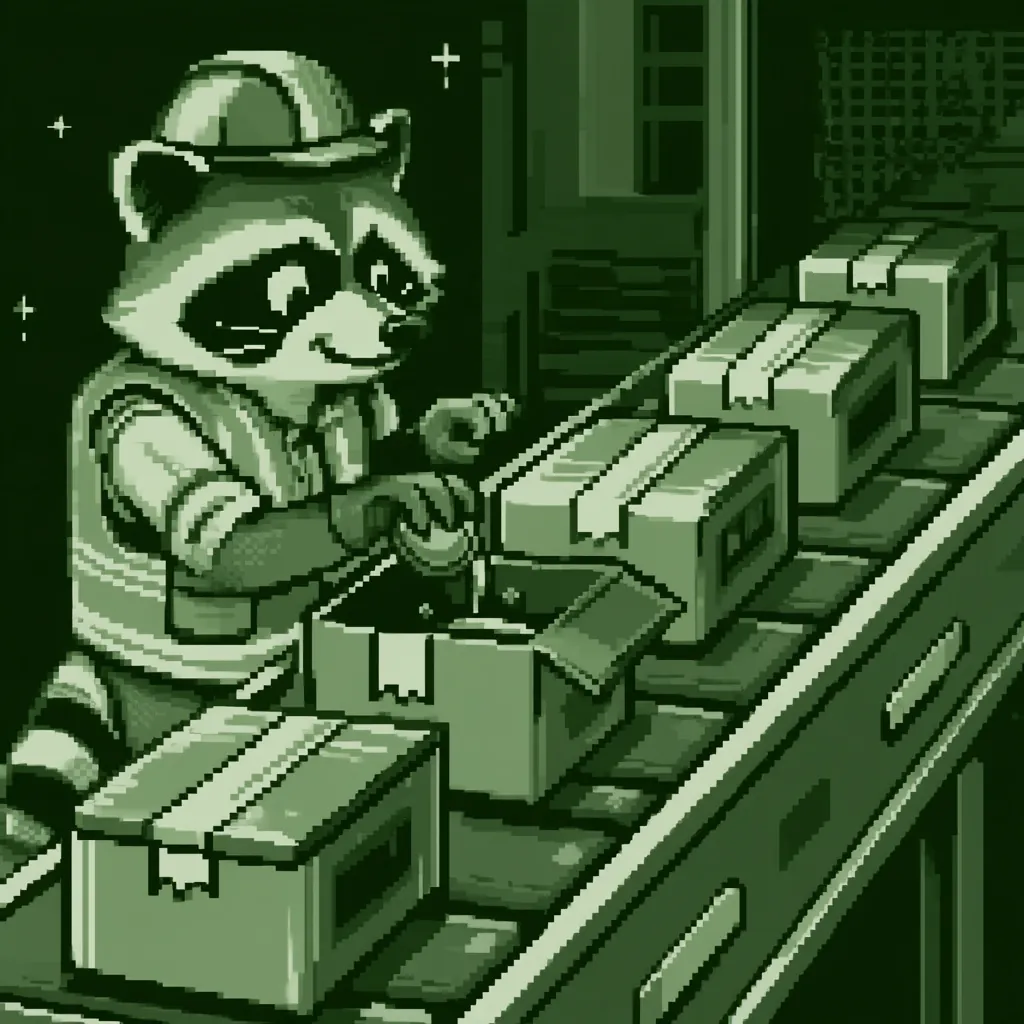
*Bandit took a warehouse job. Every box still arrives sealed. One of them just has something extra inside.*
Bandit doesn't pick your lock anymore. He gets a job at the warehouse that supplies you, slips one
extra box onto the pallet, and lets you sign for it. You carry it inside yourself.
That's a supply chain attack. Your app's `package.json` lists a few dozen names, and your lockfile
resolves them into hundreds or thousands of packages, each published by someone you've never met.
Every one of them can run code on your laptop, your CI runner and your production server. This guide
covers how these attacks actually land, why AI coding agents make them more likely, and how to set up
[Socket.dev](https://socket.dev) and pnpm in layers, using the config from a production Shopify app
we run.
## How a supply chain attack works
Attackers don't need to break into your app if they can break into something your app trusts. The
common routes into a dependency tree:
| Route | What happens | Real example |
|---|---|---|
| **Maintainer account takeover** | Attacker steals a maintainer's npm login and publishes a poisoned version of a popular package | axios, March 2026 |
| **Stolen CI publishing token** | A misconfigured workflow leaks the token that publishes the package | Nx ("s1ngularity"), August 2025 |
| **Worm** | Malware steals the victim's npm token and republishes *their* packages with itself inside | Shai-Hulud, September 2025 |
| **Typosquat** | A lookalike name (`plain-crypto-js` for `crypto-js`) waits for a typo, or gets added as a dependency | axios, again |
| **Slopsquat** | An attacker registers a package name that AI models keep hallucinating | See below |
| **Protestware** | A maintainer ships unwanted behavior on purpose | `es5-ext` |
The payload almost always runs at **install time**, through a `postinstall` script. You don't have to
The axios attack shows the whole pattern. On March 31, 2026, an attacker took over the lead
maintainer's npm account and published `axios@1.14.1` and `axios@0.30.4`. The only change was one new
dependency: `plain-crypto-js@4.2.1`, a typosquat of `crypto-js` that axios never imports. Its
`postinstall` script dropped a cross-platform remote access trojan, then deleted itself and rewrote
its own `package.json` to hide. The bad versions were live for about three hours.
```mermaid
flowchart LR
A[Attacker takes over
maintainer's npm account] --> B[Publishes plain-crypto-js@4.2.1
typosquat with a postinstall script]
B --> C[Publishes axios@1.14.1
adds plain-crypto-js as a dependency]
C --> D[You run npm install
caret range resolves to 1.14.1]
D --> E[postinstall runs:
RAT installed, evidence deleted]:::bad
E --> F[Your tokens, keys and .env
belong to someone else]:::bad
classDef bad fill:#1a0f0f,stroke:#FF5F56,color:#FF5F56;
```
Notice what a vulnerability scanner sees here: nothing. There's no CVE for a brand-new malicious
release. `npm audit` and Dependabot alerts are built for *known vulnerabilities in honest code*. A
supply chain attack is *dishonest code with no known vulnerabilities*. You need a tool that looks at
what the package actually does.
## Why AI makes it worse
AI coding agents didn't invent supply chain attacks, but they help them along in four ways.
**Agents install things.** Ask an agent to "add phone number parsing" and it'll run `pnpm add` for you,
often without stopping to ask. Nobody sees a name and thinks "huh, that's not the package I meant."
**Agents hallucinate package names, and attackers register them.** A USENIX Security 2025 study by
Spracklen et al. generated 576,000 code samples across 16 models. About 20% of the packages they
recommended didn't exist, and 43% of those fake names came back on every repeated run of the same
prompt. A name that a model hallucinates every time is a name an attacker can register and wait on.
That's **slopsquatting**. When a researcher registered one commonly hallucinated name,
`huggingface-cli`, as an empty package on PyPI, it got over 30,000 downloads in three months.
**Agents are now the payload's tool.** The Nx "s1ngularity" malware looked for AI CLIs on the infected
machine, including Claude Code and Gemini CLI, and ran them with flags like
`--dangerously-skip-permissions` and `--yolo` to search the filesystem for secrets. Wiz saw it work in
hundreds of cases. Your agent has broad file access and a shell, so malware doesn't have to bring its
own.
**Everything moves faster.** More code, more dependencies, more PRs, less time per review. A new
transitive dependency in a 2,000-line lockfile diff is easy to miss for a human, and easier still for
a human skimming an agent's PR.
A senior engineer pauses at a package with 40 weekly downloads, published yesterday, by an account
created last week. An agent doesn't, unless you give it a tool that surfaces those facts and a rule
that says to check. That's most of this guide.
## What Socket does differently
[Socket](https://socket.dev) analyzes the published package itself: the code inside the tarball,
its install scripts, network and filesystem access, obfuscation, maintainer changes and new
dependencies. It flags *behavior*, so it can catch a malicious release before anyone has filed a CVE.
For axios, Socket's research team flagged `plain-crypto-js` the same day.
You use it at four points, and each answers a different question:
| When | Tool | Question it answers | Cost |
|---|---|---|---|
| Before you add a package | **Socket MCP** (`depscore`) | Is this package a good idea? | Free, OAuth login |
| At install time | **Socket Firewall** (`sfw`) | Is anything I'm about to download known to be malicious? | Free, no account |
| On every PR | **Socket GitHub App** | What did this change add to the tree, and is any of it risky? | Free tier available |
| Always | **pnpm settings** (not Socket) | Should this install even be allowed to happen? | Free |
None of these replaces the others. The firewall only blocks packages already confirmed malicious. The
MCP and GitHub App surface risk, but they don't stop an install. The pnpm settings work everywhere
pnpm runs, but they don't know anything about malware. Together, they cover each other's gaps.
```mermaid
flowchart TD
IDEA([Agent or dev wants a package]) --> NEED{Can the platform,
or a few lines of code, do it?}
NEED -->|yes| NONE[No new dependency]:::good
NEED -->|no| WHY{pnpm why pkg -r
already in the tree?}
WHY -->|yes| SMALL[Smaller decision:
promote to direct dep]
WHY -->|no| DS[Socket MCP depscore
+ package_file_grep]
DS -->|low scores or red flags| STOP[Pick something else]:::bad
DS -->|scores OK| ADD[sfw pnpm add pkg]
SMALL --> ADD
ADD --> PNPM{pnpm checks:
release age, trust level,
build scripts, exotic sources}
PNPM -->|fails| STOP
PNPM --> FW{Socket Firewall:
known malware?}
FW -->|blocked| STOP
FW --> PR[Open PR] --> APP{Socket GitHub App
diff scan}
APP -->|warn| TRIAGE[Human reviews the alert]
APP -->|clean| MERGE[Merge]:::good
TRIAGE --> MERGE
classDef bad fill:#1a0f0f,stroke:#FF5F56,color:#FF5F56;
classDef good fill:#0d1a12,stroke:#7CF9A0,color:#7CF9A0;
```
## Before any tool: depend on less, and on people you trust
Every tool in this guide filters packages that are already on their way in. The cheaper move is to
let fewer of them in at all. As Shopify's own guidance puts it: "Depend on fewer things. Every
external dependency is a party you've given write access to your code."
### Use the platform first
A lot of dependencies date from before the platform caught up. Node 18 and later have most of the
classics built in:
| Instead of | Use | Built in since |
|---|---|---|
| `axios`, `node-fetch`, `got` | `fetch()` | Node 18 |
| `uuid` | `crypto.randomUUID()` | Node 19 as a global (Node 14.17 via `node:crypto`) |
| `lodash.clonedeep` | `structuredClone()` | Node 17 |
| `yargs`, `minimist` (simple CLIs) | `util.parseArgs()` from `node:util` | Node 18.3 |
| `dotenv` (for scripts) | `node --env-file=.env` | Node 20.6 |
| `jest`, `mocha` (small packages) | `node --test` | Node 18 |
The axios row is worth a second look. Plenty of the apps that compromise reached had installed an
HTTP client to do something Node can do on its own. `fetch` isn't a drop-in replacement for every axios feature,
but for most apps' "call an API and parse the JSON," it's enough.
Removing code you already have counts too. In our WooCommerce plugin, a site-wide crash traced back to
a bundled PHP dependency injection library that clashed with another plugin's copy of the same
interface. We didn't upgrade it. We replaced every bundled runtime library with native PHP, because
each one was only being used for a sliver of itself:
- A dependency injection container became a 20-line class
- A templating engine became `printf`, since it was rendering one six-line template
- A state machine library became an array and a `can()` function, with 119 tests checking that the
behavior matched
The plugin's runtime `vendor/` folder went from 6.7 MB to 80 KB, and that kind of conflict can't
happen again. Coding agents make this trade much cheaper than it used to be: "write the 20 lines we
actually use" is a quick task now, not a sprint.
Swap out conveniences, not expertise. Use well-maintained libraries for cryptography, HMAC and JWT
verification, HTML sanitizing, and parsing anything an attacker controls. A homemade sanitizer is a
vulnerability with extra steps. Reach for the platform (`node:crypto`'s `timingSafeEqual`, for
example) or a vetted package, never something you or your agent invented this afternoon.
### When you do add one, prefer the vendor's own package
For a third-party service, use the SDK that the vendor publishes and maintains: `@shopify/shopify-api`,
`stripe`, `@aws-sdk/*`, `@temporalio/*`. You're already trusting the vendor with your data, so their
SDK adds less new trust than a community wrapper from a stranger. A large vendor's packages are also
more likely to have a security team, a security policy and locked-down publishing behind them.
Check that it's really theirs before you install it:
- **The scope or name matches the vendor's docs.** Copy the install command from the vendor's own
documentation, not from a blog post, a search result or your agent's memory. `@shopify/` is owned by
Shopify, but `@shopify-dev/` or `shopify-api-node` might not be.
- **The package links back to the vendor's GitHub org**, and that repo links back to the package.
- **It's published with provenance.** npm shows a provenance badge on packages built and published
from CI with trusted publishing. Run `npm audit signatures` to verify the registry signatures and
provenance attestations for everything in your tree.
Official doesn't mean immune, though. Nx and axios were both the real, official packages when they
were compromised. A trusted publisher makes an attack less likely. It doesn't make the rest of this
guide optional, and the cooldown and `trustPolicy` settings below are what catch it when a trusted
publisher gets hijacked.
Give your agent the same rule. Add it to `CLAUDE.md` next to the package rules in
[Layer 1](#layer-1-evaluate-a-package-before-it-exists-on-disk):
```markdown
- Before adding a dependency, check whether Node's standard library, the platform,
or a package already in the tree covers it. Prefer a few lines of our own code
over a new package for small utilities, but never for crypto, auth or sanitizing.
- For third-party services, use the vendor's official SDK. Take the package name
from the vendor's docs, not from memory.
```
## Layer 0: make pnpm refuse the obvious
Start with config that ships in the repo and applies to every `pnpm install`, whether it's run by you,
CI, your agent or your hosting provider's build step. This is our `pnpm-workspace.yaml`, on pnpm 11:
```yaml
# pnpm-workspace.yaml
packages:
- "apps/*"
- "packages/*"
- "extensions/*"
# Fail the install if any dependency tries to run a build script
# that hasn't been explicitly allowed below
strictDepBuilds: true
# Fail if a package's trust level drops compared with earlier releases
trustPolicy: no-downgrade
# Only direct dependencies may come from git repos or tarball URLs
blockExoticSubdeps: true
# Don't install any version published less than 2 weeks ago
minimumReleaseAge: 20160 # minutes
# The short list of packages allowed to run install scripts
allowBuilds:
'@sentry/cli': false
'@swc/core': true
esbuild: true
core-js: false
protobufjs: false
```
What each one buys you:
- **`minimumReleaseAge`** is a cooldown: pnpm won't install any version younger than 14 days. It gets
its own section [below](#freeze-updates-a-14-day-cooldown-on-every-installer), because it's the
single most effective line in this file.
- **`strictDepBuilds` and `allowBuilds`** stop install scripts, the usual way a payload runs. pnpm 10 and
later won't run dependency build scripts by default. `strictDepBuilds` goes further and *fails* the
install when an unreviewed package wants to run one, so a new `postinstall` script can't sneak in
quietly. `allowBuilds` is the reviewed list, and `false` means "we know, don't run it."
- **`trustPolicy: no-downgrade`** fails the install if a package had stronger trust evidence in an
earlier release than in the one you're installing. For example, earlier versions were published from
CI with provenance, and this one was published from someone's laptop.
- **`blockExoticSubdeps`** stops a transitive dependency from pulling code from a git repo or a random
tarball URL, where no registry scanning applies.
`axios@1.14.1` was live for about three hours. A 14-day `minimumReleaseAge` would never have resolved
it. Reports say `1.14.0` was published from GitHub Actions with trusted publishing, while `1.14.1`
was published directly from the hijacked account. That's exactly the drop `trustPolicy: no-downgrade`
fails on. And `plain-crypto-js`'s `postinstall` script isn't in `allowBuilds`, so `strictDepBuilds`
would have failed the install instead of running it. That's three independent stops, before Socket
even comes into it.
## Freeze updates: a 14-day cooldown on every installer
Malicious releases have a short shelf life. The axios versions lasted about three hours, and most
poisoned packages are found and pulled within days. A **cooldown** makes your installer ignore any
version younger than a set age, so by the time a release is old enough for you, someone else has
already found what's wrong with it. You give up two weeks of freshness, and attackers lose the window
they depend on.
Every major JavaScript package manager supports this now. They all use different units, so copy
carefully:
| Tool | File | Setting | 14 days is | Minimum version |
|---|---|---|---|---|
| pnpm | `pnpm-workspace.yaml` | `minimumReleaseAge` | `20160` (minutes) | 10.16 (on by default at 1 day in 11) |
| npm | `.npmrc` | `min-release-age` | `14` (days) | 11.10.0 |
| Yarn | `.yarnrc.yml` | `npmMinimalAgeGate` | `20160` (minutes) | 4.10 (defaults to one week in current releases) |
| Bun | `bunfig.toml` | `install.minimumReleaseAge` | `1209600` (seconds) | 1.3 |
**pnpm:**
```yaml
# pnpm-workspace.yaml
minimumReleaseAge: 20160 # 14 days, in minutes
```
**npm:**
```ini
# .npmrc (commit it at the repo root, and add it to ~/.npmrc for your own machine)
min-release-age=14
```
**Yarn:**
```yaml
# .yarnrc.yml
# Newer Yarn also accepts "14d", but a plain number of minutes works on every version
npmMinimalAgeGate: 20160
```
**Bun:**
```toml
# bunfig.toml
[install]
minimumReleaseAge = 1209600 # 14 days, in seconds
```
The cooldown applies to transitive dependencies too, not only the ones in your `package.json`. If no
version of a dependency is old enough to satisfy your ranges, the install fails instead of quietly
picking a new one. That's what you want.
npm versions before 11.10.0 don't know `min-release-age`. They print `npm warn Unknown user config
"min-release-age"` and then install with **no cooldown at all**. The machine we wrote this guide on had
`min-release-age=7` in `~/.npmrc` and npm 11.8.0, so the cooldown had never been on. Run `npm -v`
everywhere you install, and add a CI step that fails on an old npm instead of trusting it to complain:
```yaml
- name: Require npm 11.10+ (min-release-age)
run: |
node -e 'const [a,b]=process.argv[1].split(".").map(Number); process.exit(a>11||(a===11&&b>=10)?0:1)' "$(npm -v)" \
|| { echo "::error::npm $(npm -v) ignores min-release-age. Upgrade to 11.10.0 or later."; exit 1; }
```
### Match the cooldown in your update bots
Dependabot and Renovate don't read your package manager's config. Without their own cooldown, they
open a PR for a version the day it's published, and whoever approves that PR has just skipped your
waiting period by hand. Set them to the same 14 days.
**Dependabot** has a `cooldown` option for version updates. It defaults to 3 days. Security updates
skip it, which is the behavior you want:
```yaml
# .github/dependabot.yml
version: 2
updates:
- package-ecosystem: "npm"
directory: "/"
schedule:
interval: "weekly"
cooldown:
default-days: 14
```
**Renovate** uses `minimumReleaseAge`:
```json
{
"extends": ["config:recommended"],
"minimumReleaseAge": "14 days"
}
```
### Exempt one version, not a whole package
Sometimes you need a release that's still inside the cooldown, like a fix for a CVE you're exposed to.
Exempt that exact version and leave a note saying when to remove it:
```yaml
# pnpm-workspace.yaml
minimumReleaseAgeExclude:
# CVE fix, still inside the cooldown. Remove after 2026-06-01.
- '@babel/plugin-transform-modules-systemjs@7.29.4'
```
Pin the version (supported since pnpm 10.19). A bare package name exempts **every** future version of
that package from the cooldown, permanently. Bun's `minimumReleaseAgeExcludes` works the same way: a
`name@version` entry exempts one version, and a bare name exempts all of them. In Yarn, the list is
`npmPreapprovedPackages`. For a one-off npm install, `npm install @ --min-release-age=0`
skips the cooldown for that command only.
## Layer 1: evaluate a package before it exists on disk
The cheapest malicious package is the one you never install. Give your agent a way to research
packages, and a rule that makes it do so.
### Add the Socket MCP server
Socket hosts an MCP server at `https://mcp.socket.dev/`. It authenticates with OAuth, so there's no API
key to provision, store or rotate. Add it to your project's `.mcp.json` so everyone on the team gets
it:
```json
{
"mcpServers": {
"socket": {
"type": "http",
"url": "https://mcp.socket.dev/"
}
}
}
```
Each person runs `/mcp` in Claude Code, selects **socket**, and signs in once. The tools that matter:
| Tool | What it's for |
|---|---|
| `depscore` | Supply chain, quality, maintenance, vulnerability and license scores, 0 to 100 |
| `threat_feed` | Known malware, typosquats and obfuscated code |
| `package_files` / `package_file_contents` | List and read the files in a published tarball |
| `package_file_grep` | Search a published tarball with a regex, without installing it |
`package_file_grep` is the one that changes how review works. Instead of guessing from a package's
README, you can ask "does any file in this tarball call `child_process`, `eval`, or reach the network
in an install script?" and get an answer before the code ever touches your machine.
### Write the rule where the agent will read it
A tool your agent doesn't know to use is decoration. Put the rule in `CLAUDE.md` (or `AGENTS.md`),
which loads every session. A skill only loads when it's invoked, and nobody invokes "remember to be
careful." This is ours:
```markdown
## Package management
- **Evaluate a package BEFORE adding it.** Run the `socket` MCP server's `depscore`
on any new dependency and report the scores in the PR that introduces it.
Use `threat_feed` for malware and typosquats, and `package_files` /
`package_file_grep` to read the published tarball without installing it.
- Socket Firewall (`sfw`) and `depscore` answer different questions: `sfw` blocks
*known-malicious* packages at install time, `depscore` tells you whether a package
is unmaintained, low quality, or carrying risky transitive deps. Use both.
- Check whether a dependency is **already in the tree** before treating it as new:
`pnpm why -r`. A package we already ship transitively is a much smaller
decision than a genuinely new one.
```
That last rule came from a near miss. An agent proposed `libphonenumber-js` as a "new" dependency,
and we vetted it by hand against registry metadata. Only later did someone notice the app had
already been shipping it for months, pulled in transitively by `react-phone-number-input`. The risk
picture changed completely, and it changed by accident. `pnpm why` takes two seconds.
A 100/100 `depscore` means Socket found nothing wrong today. It doesn't mean the next release is safe,
which is what the cooldown and the firewall are for. And a low maintenance score on a small, finished
library isn't always a problem. Read the alerts behind a score, not just the number.
## Layer 2: firewall every install
[Socket Firewall](https://docs.socket.dev/docs/socket-firewall-overview) (`sfw`) is a short-lived
HTTP proxy that sits between your package manager and the registry. Put `sfw` in front of an install
command, and every package request, including transitive ones, gets checked against Socket before
it's downloaded. If a package is confirmed malicious, it's blocked. The free version needs no account
or API key, and it works with npm, yarn, pnpm, pip, uv and cargo.
```bash
npm i -g sfw
sfw pnpm install
sfw pnpm add libphonenumber-js
```
A firewall you have to remember to type is a firewall you'll forget. Wire it into the three places
installs actually happen: your agent, your CI, and your container builds.
### For your agent: a hook that adds `sfw` for it
Claude Code [hooks](https://code.claude.com/docs/en/hooks) can rewrite a command before it runs. This
`PreToolUse` hook adds `sfw` to the front of any pnpm command that installs something, and passes
read-only commands like `pnpm test` or `pnpm why` through untouched:
```bash
#!/usr/bin/env bash
# .claude/hooks/wrap-pnpm-with-sfw.sh
# Prefixes pnpm install/add/update/dlx/import with `sfw` so they go through
# Socket Firewall. Does NOT catch pnpm inside compound commands
# (e.g. `cd foo && pnpm install`).
set -euo pipefail
input="$(cat)"
cmd="$(printf '%s' "$input" | jq -r '.tool_input.command // ""')"
# Already wrapped, or not pnpm at all: allow as-is
[[ "$cmd" =~ ^[[:space:]]*sfw[[:space:]] ]] && exit 0
[[ "$cmd" =~ ^[[:space:]]*pnpm([[:space:]]|$) ]] || exit 0
# Find the subcommand: the first token that isn't a flag or a --filter value
read -ra tokens <<< "$cmd"
subcommand=""
for ((i=1; i<${#tokens[@]}; i++)); do
t="${tokens[$i]}"
[[ "$t" == -* ]] && continue
prev="${tokens[$((i-1))]}"
[[ "$prev" == "-F" || "$prev" == "--filter" ]] && continue
subcommand="$t"; break
done
case "$subcommand" in
install|i|add|update|up|upgrade|dlx|import)
jq -nc --arg c "sfw $cmd" '{
hookSpecificOutput: {
hookEventName: "PreToolUse",
updatedInput: { command: $c }
},
systemMessage: "Wrapped pnpm install with sfw (Socket Firewall)"
}'
;;
esac
```
Register it in the project's `.claude/settings.json`, so it applies to everyone who works in the repo:
```json
{
"hooks": {
"PreToolUse": [
{
"matcher": "Bash",
"hooks": [
{ "type": "command", "command": ".claude/hooks/wrap-pnpm-with-sfw.sh", "timeout": 5 }
]
}
]
}
}
```
The agent doesn't have to remember the rule, because the rule runs whether it remembers or not. Test
it by piping fake tool input through the script. `{"tool_input":{"command":"pnpm add left-pad"}}`
should come back rewritten, and `pnpm test` should come back empty.
### For CI: one composite action, no fallback
`sfw` downloads its firewall binary the first time it runs, so a GitHub or registry hiccup can fail a
job before a single test runs. Put the retry logic in one composite action instead of copying it into
every workflow:
```yaml
# .github/actions/firewalled-install/action.yml
name: Firewalled pnpm install
description: Install dependencies through Socket Firewall, with retries
inputs:
args:
description: Everything after `sfw pnpm`, like "install --frozen-lockfile"
required: true
working-directory:
required: false
default: "."
attempts:
required: false
default: "3"
runs:
using: composite
steps:
- name: Install Socket Firewall
shell: bash
run: |
for i in 1 2; do
npm i -g sfw && exit 0
echo "::warning::npm i -g sfw failed (attempt ${i}/2)"
sleep 10
done
echo "::error::Could not install Socket Firewall. Dependencies were NOT installed. This is an infrastructure failure, not a test failure."
exit 1
- name: Install dependencies through Socket Firewall
shell: bash
working-directory: ${{ inputs.working-directory }}
env:
SFW_ARGS: ${{ inputs.args }} # via env, not interpolated into the script
SFW_ATTEMPTS: ${{ inputs.attempts }}
run: |
for attempt in $(seq 1 "$SFW_ATTEMPTS"); do
sfw pnpm $SFW_ARGS && exit 0 # unquoted on purpose: several arguments
if [ "$attempt" -lt "$SFW_ATTEMPTS" ]; then
echo "::warning::Install attempt ${attempt}/${SFW_ATTEMPTS} failed, retrying"
sleep $((attempt * 15))
fi
done
echo "::error::Socket Firewall could not complete 'pnpm ${SFW_ARGS}'. Re-run the job."
exit 1
```
Then every workflow installs the same way:
```yaml
- name: Install dependencies (through Socket Firewall)
uses: ./.github/actions/firewalled-install
with:
args: "install --frozen-lockfile"
```
It's tempting to add `|| pnpm install` so a flaky firewall doesn't block your deploy. Don't. That
fallback turns the firewall off at random, and the outage you don't notice is the one an attacker
gets. Fail loudly with a message that says "infrastructure," then re-run. We run this action at nine
install steps across seven workflows.
### For containers: warm the binary once
Container builds without a layer cache download the firewall binary on every build. Fetch it once,
with retries, before you copy your source in, then skip the update check for later installs:
```dockerfile
RUN npm install -g pnpm@11.1.1 sfw
# Warm sfw's binary cache once, so a transient GitHub blip doesn't fail the build
ENV SFW_SKIP_UPDATE_CHECK=1
RUN for i in 1 2 3 4 5; do \
sfw --version && break; \
sleep $((i * 3)); \
done; \
sfw --version
COPY . .
RUN sfw pnpm install --frozen-lockfile
```
## Layer 3: the Socket GitHub App on every PR
The firewall answers "is this known malware?" The [Socket GitHub App](https://socket.dev/features/github)
answers a broader question: "what did this PR add to the tree, and is any of it risky?" Install it on
the repo and it comments on every PR that changes dependencies, with scores for each added package
and alerts for risky behavior anywhere in the new tree.
A clean result looks like this, from the PR that added `libphonenumber-js`:
| Package | Supply chain | Vulnerability | Quality | Maintenance | License |
|---|---|---|---|---|---|
| `npm/libphonenumber-js@1.13.12` | 100 | 100 | 100 | 96 | 100 |
When something's off, the comment shows the alert and the path that pulled it in. These are real ones
from our repo:
| Alert | Package | Pulled in by | What it turned out to be |
|---|---|---|---|
| Protestware or unwanted behavior | `es5-ext@0.10.64` | `serverless` | Real, well-documented protestware. `serverless` was unused, so we removed it a week later. |
| Obfuscated code (90%) | `webpack@5.107.2` | `@temporalio/worker` → `@sentry/nextjs` → `webpackbar` | Almost certainly minified build output in a very widely used package |
| Obfuscated code (91%) | `entities@4.5.0` | The lockfile, several paths | Same story: a widely used package whose code looks dense to a scanner |
That table is the honest picture. Most alerts are judgment calls, not emergencies. Minified code looks
a lot like obfuscated code. Read the dependency path first, because "a transitive dependency of a tool
we stopped using" is a five-minute fix: remove the tool.
Start with Socket's warn-level policy so alerts show up as PR comments without failing builds. Once
you've triaged the backlog, switch the alert types you never want to see, like known malware and
install scripts in new packages, to **block**, and make the Socket check required in your branch
ruleset.
## Replaying axios against all four layers
What would each layer have done with `axios@1.14.1` on the day it was live?
| Layer | What happens |
|---|---|
| `minimumReleaseAge: 20160` | pnpm won't resolve a version published three hours ago. You stay on `1.14.0`. |
| `trustPolicy: no-downgrade` | Per the published reports, a trusted-publishing release followed by a direct publish is a downgrade, so the install fails. |
| `strictDepBuilds` | `plain-crypto-js` wants to run `postinstall` and isn't in `allowBuilds`, so the install fails. |
| Socket Firewall | Once Socket confirms `plain-crypto-js` as malware, it's blocked at the proxy, even when it's transitive. |
| Socket GitHub App | A lockfile bump that adds `plain-crypto-js` gets an alert on the PR. |
| Socket MCP + `CLAUDE.md` | An agent told to "upgrade axios" checks the score first, and the alerts are right there. |
You don't need every row to hold. You need one.
## Gaps we found in our own setup
Writing this guide meant auditing our own config, and it isn't airtight. Check yours for the same
holes:
- **Your host's build step probably skips the firewall.** Vercel, Netlify and friends run their own
`pnpm install`, so the firewall only runs if you change the install command. The `pnpm-workspace.yaml`
settings still apply there, because they live in the repo. That's the best argument for Layer 0.
- **`npx` and MCP servers go around all of it.** An `.mcp.json` entry like
`"args": ["@playwright/mcp@latest"]` downloads whatever was published a minute ago, every time the
agent starts. It uses npx, not pnpm, so the cooldown and build rules don't apply, and nothing wraps it
in `sfw`. Pin MCP servers to exact versions like any other dependency.
- **The hook misses compound commands.** `cd apps/core && pnpm install` doesn't start with `pnpm`, so it
isn't wrapped. The script says so in its header. Add a `CLAUDE.md` line telling the agent to run
installs as standalone commands, or tighten the matcher.
- **`npm i -g sfw` installs the latest wrapper, and the wrapper fetches the latest firewall binary.** It
checks the download against the checksum GitHub reports, which protects the transfer, but you're
still trusting whatever Socket released last. Pin the wrapper (`npm i -g sfw@2.0.6`) so at least that
part only changes on purpose.
- **Cooldown exemptions outlive their reason.** An exemption by bare package name lasts forever. Pin
the version and write a removal date next to it.
- **Actions pinned to tags.** A tag like `actions/checkout@v5` can be moved to point at different code.
Shopify recommends pinning actions to a full commit SHA. We've done it for some actions, but not all
of them yet.
## The checklist
- [ ] Before each new dependency, ask whether the platform or a few lines of code can do it instead
- [ ] For third-party services, use the vendor's official SDK, and run `npm audit signatures`
- [ ] Commit your lockfile, and install with `--frozen-lockfile` in CI
- [ ] Set a 14-day cooldown in your package manager, check `npm -v` is 11.10.0 or later if you
use npm, and match it in Dependabot or Renovate
- [ ] Set `strictDepBuilds`, `allowBuilds`,
`trustPolicy: no-downgrade` and `blockExoticSubdeps` in `pnpm-workspace.yaml`
- [ ] Add the Socket MCP server to `.mcp.json`, and have everyone authenticate once
- [ ] Add the "evaluate before adding, check `pnpm why` first" rule to `CLAUDE.md` / `AGENTS.md`
- [ ] Add the `PreToolUse` hook that wraps pnpm installs in `sfw`
- [ ] Route every CI install through one firewalled composite action, with no fallback
- [ ] Wrap installs in your Dockerfiles and your host's install command
- [ ] Install the Socket GitHub App, triage the backlog, then block the alert types you never accept
- [ ] Pin MCP servers, `npx` tools and GitHub Actions to exact versions or SHAs
## References
- [Manage supply-chain risk](https://shopify.dev/docs/apps/build/security/following-security-best-practices) — Shopify's guidance: depend on fewer things, enforce lockfiles, pin Actions to SHAs, wait seven days for new versions.
- [npm provenance and `npm audit signatures`](https://docs.npmjs.com/generating-provenance-statements/) — how provenance works and how to verify it.
- [Socket Firewall overview](https://docs.socket.dev/docs/socket-firewall-overview) — how `sfw` proxies installs, which package managers it supports, and what the free version blocks.
- [Introducing Socket Firewall](https://socket.dev/blog/introducing-socket-firewall) — Socket's launch post for the free firewall.
- [Socket MCP server](https://github.com/SocketDev/socket-mcp) — the hosted MCP server, its tools, and OAuth setup.
- [pnpm supply chain security](https://pnpm.io/supply-chain-security) and [dependency resolution settings](https://pnpm.io/settings/dependency-resolution) — `minimumReleaseAge`, `trustPolicy`, `blockExoticSubdeps`.
- [pnpm build settings](https://pnpm.io/settings/build) — `strictDepBuilds` and `allowBuilds`.
- [npm config: `min-release-age`](https://docs.npmjs.com/cli/v11/using-npm/config#min-release-age) — npm's cooldown, in days, and how it interacts with `--before`.
- [Yarn `npmMinimalAgeGate`](https://yarnpkg.com/configuration/yarnrc#npmMinimalAgeGate) and [Bun `install.minimumReleaseAge`](https://bun.com/docs/runtime/bunfig) — the Yarn and Bun equivalents.
- [Dependabot `cooldown`](https://docs.github.com/en/code-security/reference/supply-chain-security/dependabot-options-reference) and [Renovate `minimumReleaseAge`](https://docs.renovatebot.com/configuration-options/#minimumreleaseage) — matching cooldowns for update bots.
- [Supply chain attack on axios](https://socket.dev/blog/axios-npm-package-compromised) — Socket's write-up of the March 2026 compromise.
- [axios npm compromise](https://www.endorlabs.com/learn/npm-axios-compromise) — Endor Labs' timeline, affected versions and root cause.
- [s1ngularity: supply chain attack leaks secrets on GitHub](https://wiz.io/blog/s1ngularity-supply-chain-attack) — Wiz on the Nx compromise and the malware that drove AI CLIs.
- [Shai-Hulud: the self-replicating npm worm](https://sysdig.com/blog/shai-hulud-the-novel-self-replicating-worm-infecting-hundreds-of-npm-packages) — Sysdig's analysis of the worm.
- [We Have a Package for You! (Spracklen et al., USENIX Security 2025)](https://www.usenix.org/conference/usenixsecurity25/presentation/spracklen) — the package hallucination study behind the slopsquatting numbers.
- [Claude Code hooks](https://code.claude.com/docs/en/hooks) — `PreToolUse` hooks and `updatedInput`.